




Build, run, and manage AI agents at scale on your own infrastructure.
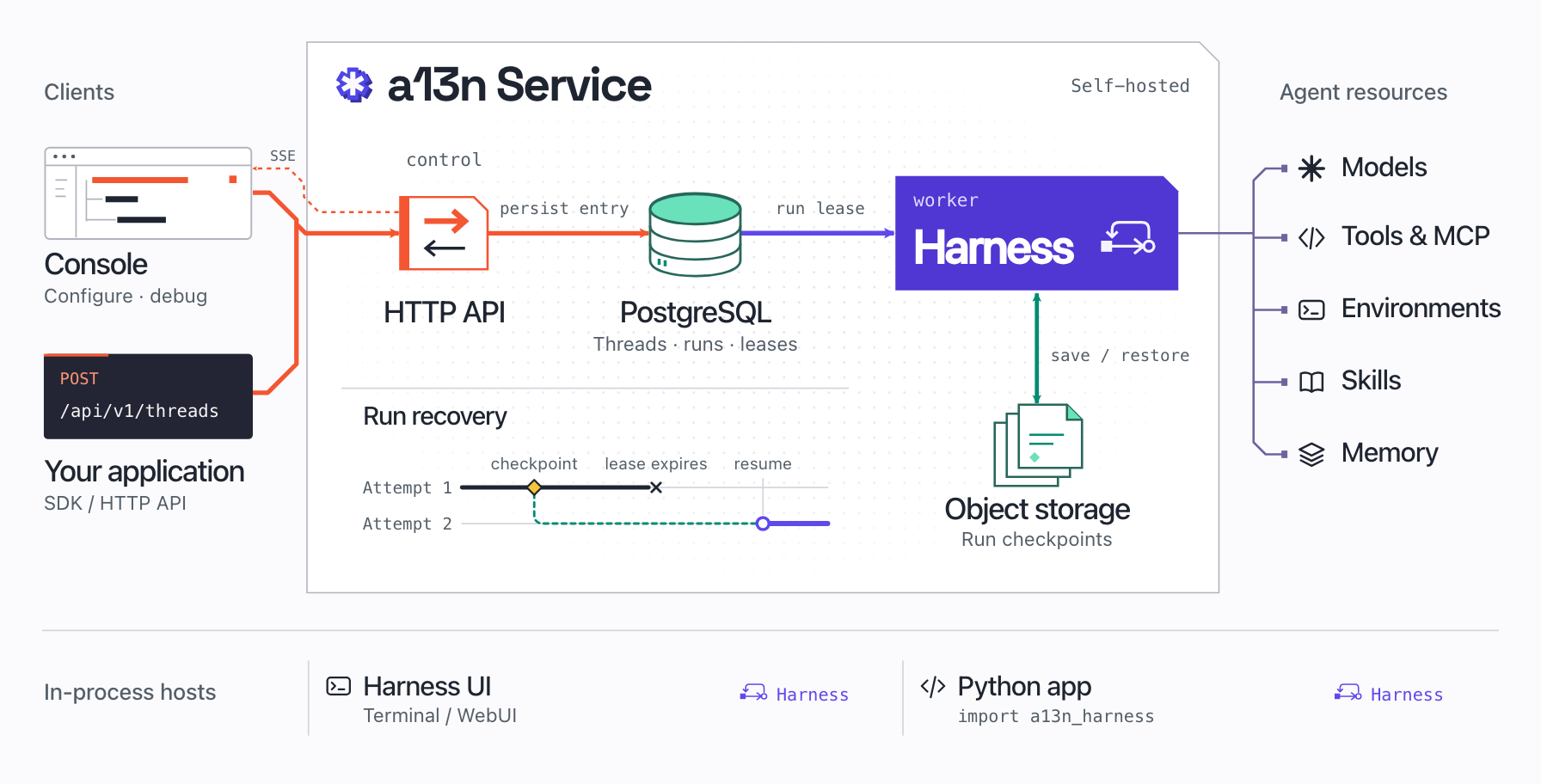
a13n Service is an open-source runtime for managing and running agents. Use Console, its web interface, to configure an agent, try it in a conversation, and debug its tool calls. Your application can then call that same agent through the HTTP API or a Python, TypeScript, Go, or Rust SDK. Service handles execution and recovery for those requests.
- Long-running tasks: Agents keep working when clients disconnect.
- Durable execution: Interrupted runs can resume from saved checkpoints after worker failures.
- Run visibility: Inspect runs from your application in Console and track workspace usage and cost.
Choose your providers for models, sandboxes, web search, and memory. Bring your own keys.

Console with fictional demo data. See run details from a scripted demo and workspace usage.
Install Docker and Docker Compose, then run:
mkdir a13n-service && cd a13n-service
curl -fL https://raw.githubusercontent.com/converge-ai-labs/agent-foundation/main/deploy/docker/compose/a13n-service.yaml -o a13n-service.yaml
docker compose -f a13n-service.yaml up -d --wait --pull always
Open http://127.0.0.1:8080:
- Create your administrator account.
- In Models, select Add model and configure a model using an API key or an eligible ChatGPT subscription.
- Create an agent with that model and select Try agent to send it a message.
- Open Connect to app on the same agent to get its ID, Service URL, and an API key.
Call the agent from your application through the HTTP API or a Python, TypeScript, Go, or Rust SDK.
The stack runs Service, Console, PostgreSQL, and Redis. Agent environments use your host Docker Engine. See the Compose guide for configuration.
Deploy to Kubernetes with our Helm chart. Configure API and worker replicas and shared storage for high availability.
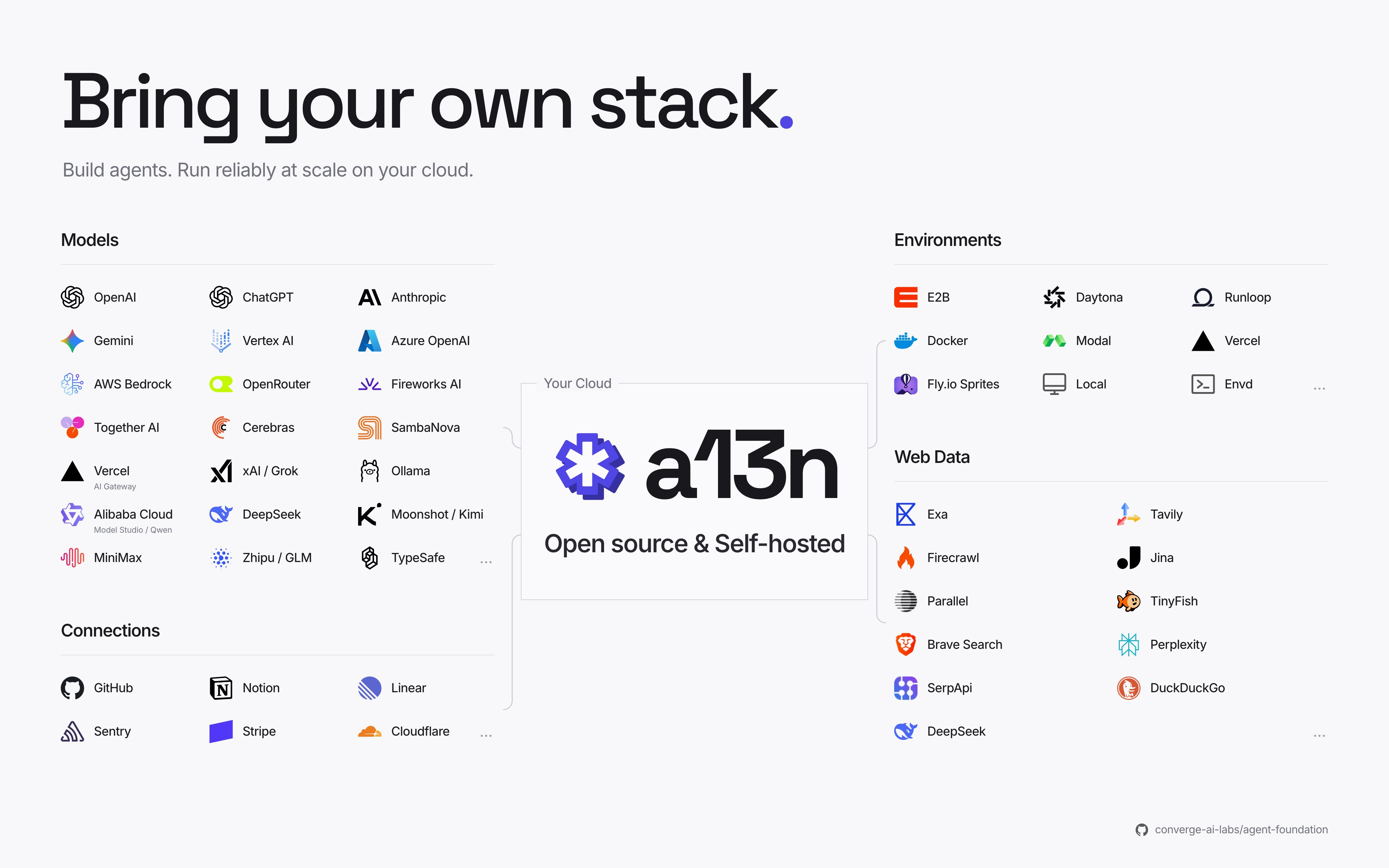
Models · Sandboxes · Web search · Memory · App connections
Service is built on Harness, which handles tool use, Skills, memory, and subagents. You can also use it without deploying Service:
- In your application: Embed Harness in your Python code. Your application manages execution and storage.
- On your machine: Use Harness UI to work with agents in a terminal or browser.
Benchmarks: Harness scored 58.06% on 62 Terminal-Bench 4.0 tasks, compared with 58.77% in published Codex results using the same model and reasoning effort. See the methodology and FrontierHarness evaluation.
These guides track main. For an installed release, use its release notes and package metadata.
Ask questions on Slack or open an issue for bugs and feature requests. Read CONTRIBUTING.md before submitting changes.
You can self-host a13n under the Apache 2.0 license. See SECURITY.md to report a vulnerability.