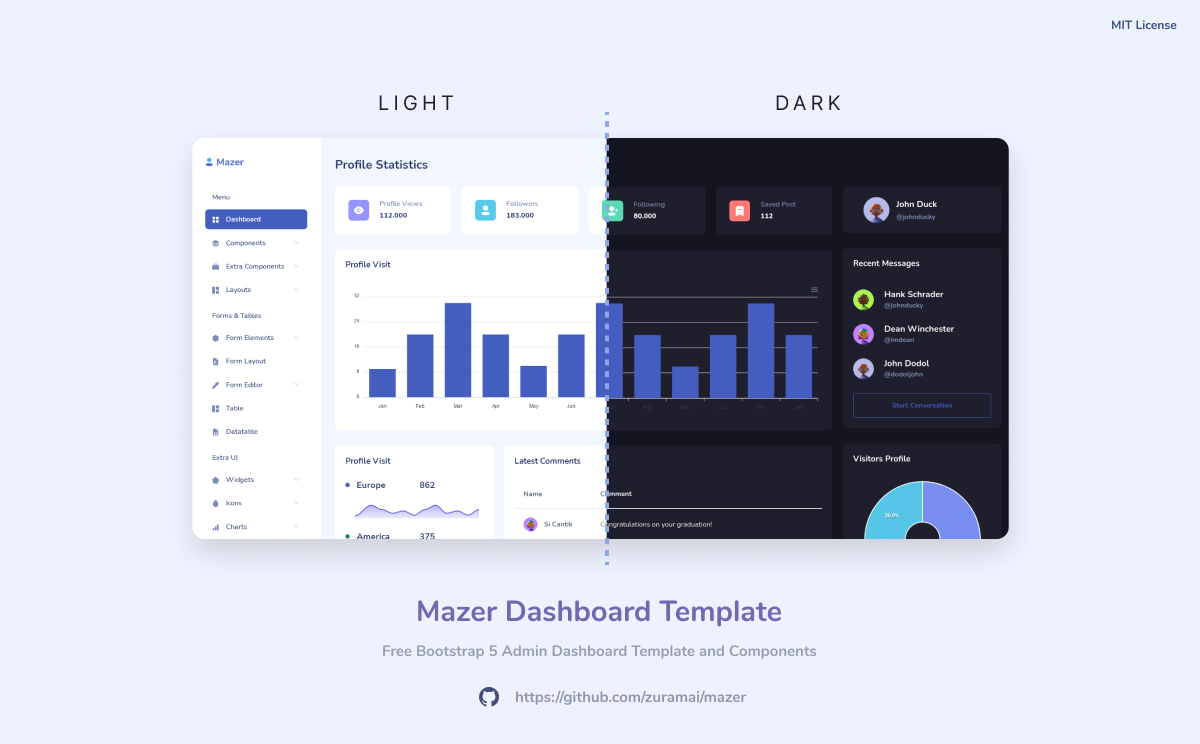
Mazer is an Admin Dashboard Template that can help you develop faster. Made with Bootstrap 5. No jQuery dependency.




Demo Page Documentation Page Indonesian README
Download the latest release from the releases page. Open the index HTML file and explore the source code.
- Clone the repository
git clone https://github.com/zuramai/mazer- Install dependencies
yarn install
# OR
npm install- Run it locally
npm run dev- Open
http://localhost:5173in your browser
- Clone the repository
git clone https://github.com/zuramai/mazer - Make sure you have Docker installed and run:
docker build -t mazer-frontend .docker run -it -d -p 5173:80 --name mazer mazer-frontend- Open
http://localhost:5173
Simple example using CDN from jsdelivr.net.
<!DOCTYPE html>
<html lang="en">

<head>
    <meta charset="UTF-8">
    <meta name="viewport" content="width=device-width, initial-scale=1.0">
    <title>Dashboard - Mazer Admin Dashboard</title>

    <link rel="shortcut icon" href="https://cdn.jsdelivr.net/gh/zuramai/mazer@docs/demo/assets/compiled/svg/favicon.svg" type="image/x-icon">

    <link rel="stylesheet" href="https://cdn.jsdelivr.net/gh/zuramai/mazer@docs/demo/assets/compiled/css/app.css">
    <link rel="stylesheet" href="https://cdn.jsdelivr.net/gh/zuramai/mazer@docs/demo/assets/compiled/css/app-dark.css">
    <link rel="stylesheet" href="https://cdn.jsdelivr.net/gh/zuramai/mazer@docs/demo/assets/compiled/css/iconly.css">
</head>

<body>
    <script src="https://cdn.jsdelivr.net/gh/zuramai/mazer@docs/demo/assets/static/js/initTheme.js"></script>
    <!-- Start content here -->

    <!-- End content -->
    <script src="https://cdn.jsdelivr.net/gh/zuramai/mazer@docs/demo/assets/static/js/components/dark.js"></script>
    <script src="https://cdn.jsdelivr.net/gh/zuramai/mazer@docs/demo/assets/extensions/perfect-scrollbar/perfect-scrollbar.min.js"></script>

    <script src="https://cdn.jsdelivr.net/gh/zuramai/mazer@docs/demo/assets/compiled/js/app.js"></script>

    <!-- Need: Apexcharts -->
    <script src="https://cdn.jsdelivr.net/gh/zuramai/mazer@docs/demo/assets/extensions/apexcharts/apexcharts.min.js"></script>
    <script src="https://cdn.jsdelivr.net/gh/zuramai/mazer@docs/demo/assets/static/js/pages/dashboard.js"></script>
</body>

</html>You can use the url with a prefix like this:
https://cdn.jsdelivr.net/gh/zuramai/mazer@docs/demo
A simple example:
https://cdn.jsdelivr.net/gh/zuramai/mazer@docs/demo/assets/compiled/css/app.css
- CodeIgniter 4 by @irsyadulibad
- Laravel Mazer Starter by @billalxcode
- Nuxt by @fzn0x
- React JS Component Library by @fachryansyah
- Adonisjs 5 by @afman42
- Django by @bimbims125
- Flask by @antheiz
- Symfony 6.3 (Mazer 2.1.0) by @theod02
- Spring-Thymeleaf by @hi-rullah
- Ruby on Rails by @noesya
- Yii2 by @anovsiradj
- Next JS by @dipras
- Did you make in another framework or tools? Open up Pull Requests and put yours here! 😃
Please follow Contributing Guide before contributing.
Mazer is under MIT License.
Mazer is created by Saugi.
