
Your TV, without the junk.
A free phone app that cleans up Android TV and Google TV, and doubles as a remote and a file sender.
No computer. No AI. One tap puts it all back.


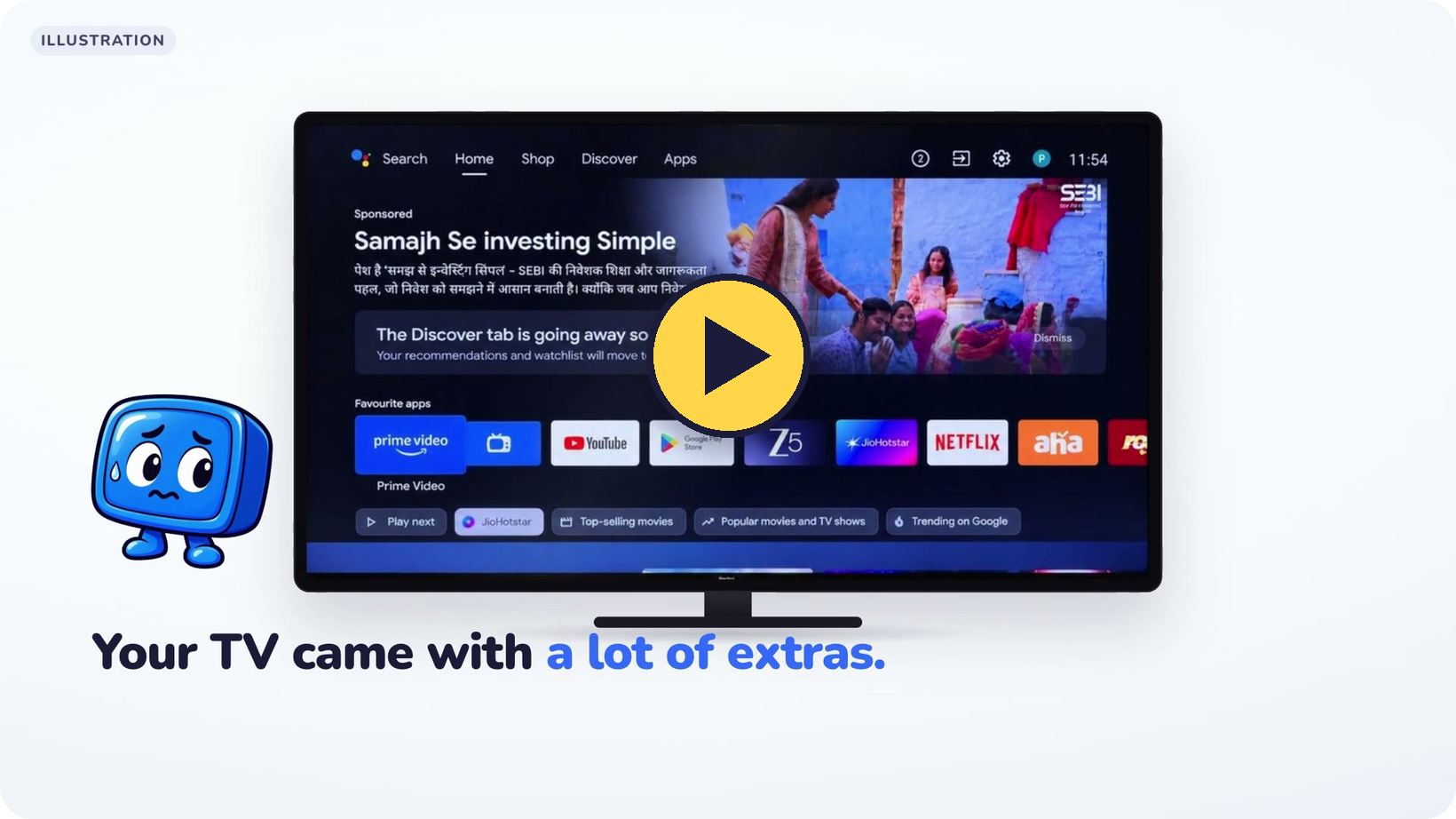
▶ Watch the 30-second video · Android 8 or newer · MIT licence · No Google Play? APK on GitHub

TidyTV connects to your TV from your phone over Wi-Fi, saves a backup, and switches off the apps you don't want. It never deletes anything, and Restore everything turns it all back on.
 My TV Tidy up, Remote, Send files, Restore |
 Remote D-pad, volume, power, typing |
 Apps on your TV Open any TV app |
 Send files Saved in Downloads › TidyTV |
 Check my TV Finds apps a TV update turned back on |
Projectivy Launcher is a third home screen choice. TidyTV opens its page in the Play Store on your TV, you press Install with the remote, and TidyTV sets it as Home. Restore puts your old home screen back and leaves Projectivy installed. TidyTV never hosts Projectivy's APK.
 1. Pick your TV Android TV, Google TV or Fire TV |
 2. Connect Same Wi-Fi. Press Allow once. |
 3. Backup, then pick Every app has a switch |
 4. Tidy One app at a time, each one checked |
 5. Clean home screen Optional: Simple, Apple TV style or Projectivy. Pick a look or use your own photo |
 6. Done Rolls back if Home doesn't land |
 7. Share it A card with what you tidied |
 8. Undo anytime Restore everything, one tap |
| 🧷 Backup first, every time | Apps, settings and home screen are saved before any change. It can't be skipped. |
| 🔕 Turned off, never deleted | Uses Android's own pm disable-user. Nothing is uninstalled. |
| 🛡️ Protected apps stay on | Play Store, Play Services, keyboards, TV inputs, the remote, Bluetooth, Settings and setup apps are never touched, checked again before every command. |
| 📺 Tested lists for 335 models | From cleanyourtv, each tried on a real TV. See yours → |
| ↩️ Undo survives anything | Every change is logged on the TV and the phone before it happens, so Restore works even after a Wi-Fi drop or a lost phone. If the TV gets stuck after a change, "TV stuck after a change?" on the first screen keeps trying for up to 10 minutes and turns everything back on as soon as the TV answers. |
✅ Android TV and Google TV sets and boxes (Sony, TCL, Xiaomi, Hisense, Philips, Chromecast, NVIDIA Shield…)
🟧 Fire TV: clean-up only, Amazon's home screen stays
❌ Samsung (Tizen) and LG (webOS): they don't run Android
The remote and Send files work on Fire TV too.
Guides: cleaning up a TV with Claude or another AI · which apps are safe to turn off · all guides
TidyTV talks to your TV over your own home network. It has no account, no analytics and no ads. Once a day it asks GitHub whether a newer version is out (a plain request for the latest release; nothing about you or your TV is sent). Anything else goes over the internet only when you choose to: tapping Send in the feedback form (your message, phone model, Android and app version, and the log or screenshot if you tick them), or sharing your result card or logs through Android's share sheet.
Tap Report a problem in the app (it can attach the log), or Share logs and send the file with your TV model. Logs carry no personal data: serial numbers, Wi-Fi names, MAC addresses and IP addresses are removed first. Each real-TV log becomes a new test fixture.
If TidyTV helped, a ⭐ on this repo is how other people find it.
Building from source
git clone --recurse-submodules https://github.com/jolan94/tidytv
./gradlew test                         # all logic tests, no TV needed
./gradlew :app:verifyRoborazziDebug    # screenshot tests
./gradlew :app:assembleDebug           # app/build/outputs/apk/debug/app-debug.apk
./gradlew :app:assembleRelease         # signed with keys/signing.properties if present, else the debug key
tools/build-styled-home.sh             # rebuild the bundled Apple TV style home screen from upstream
python3 tools/build-pages.py           # site/tv/<model>/ pages, site/guides/, sitemap, main-page TV search
Debug builds list a Demo TV on the connect screen: a simulated Google TV for trying the whole
flow without a real one. tools/demo/ has the helpers used to record it.
The site's model pages come from the cleanyourtv lists (the facts) plus content/tv/<id>.json (a short
plain-English intro and FAQ, written from each list's own header). Guides are Markdown in content/guides/.
python3 tools/build-pages.py --data also writes content/tv/data/ for whoever writes new intros.
The promo video is a HyperFrames project in videos/tidytv-promo/film/.
The package name is com.appfactory.tidytv from 0.2.0 on. Version 0.1.0 used dev.tidytv.app,
so uninstall 0.1.0 before installing 0.2.0. Release keys live in keys/, which git ignores.
Releases go to Google Play with fastlane, plus a signed APK on GitHub releases; the steps are in docs/RELEASING.md.
| Module | What's in it |
|---|---|
core |
Pure JVM: list parser, matcher, grouping, protected set, backup, Debloater, LauncherHandover, Restorer, action log, connect and wizard state machines, and FakeTv |
adb |
Kadb-backed connection, pairing and subnet scan, tested against FakeAdbd |
app |
Compose UI, view model, NSD discovery, feedback, share card, log sharing |
upstream/ |
Submodules: cleanyourtv (lists and the Apple TV style home screen) and tv-detox (simple home screen) |
Not affiliated with Google, Amazon or any TV maker. The TV screens shown are illustrations.