
Free, open-source macOS cleaner that respects your files and your privacy.


Vervain finds what you can safely clear on your Mac, shows you all of it first, and moves only what you choose to the Trash, so every cleanup can be undone. There are no analytics and no accounts. The only network request is the update check: a button in Settings, plus an optional automatic check that is off by default.
With Homebrew:
brew install yakupbulbul/vervain/vervainOr download the latest DMG. It is signed and notarized by Apple.
Smart Scan gives your Mac a health score and explains every point it takes off. It also tells you what the score would be after you clean the safe items.
Most of the rest works the same way: scan, review, then confirm.
- System Junk: caches, logs, old installers and other leftovers, sorted by how safe they are to remove.
- App Uninstaller: removes an app together with the files it leaves behind, and shows when you last opened it.
- Disk Analyzer: shows what is using your storage, folder by folder.
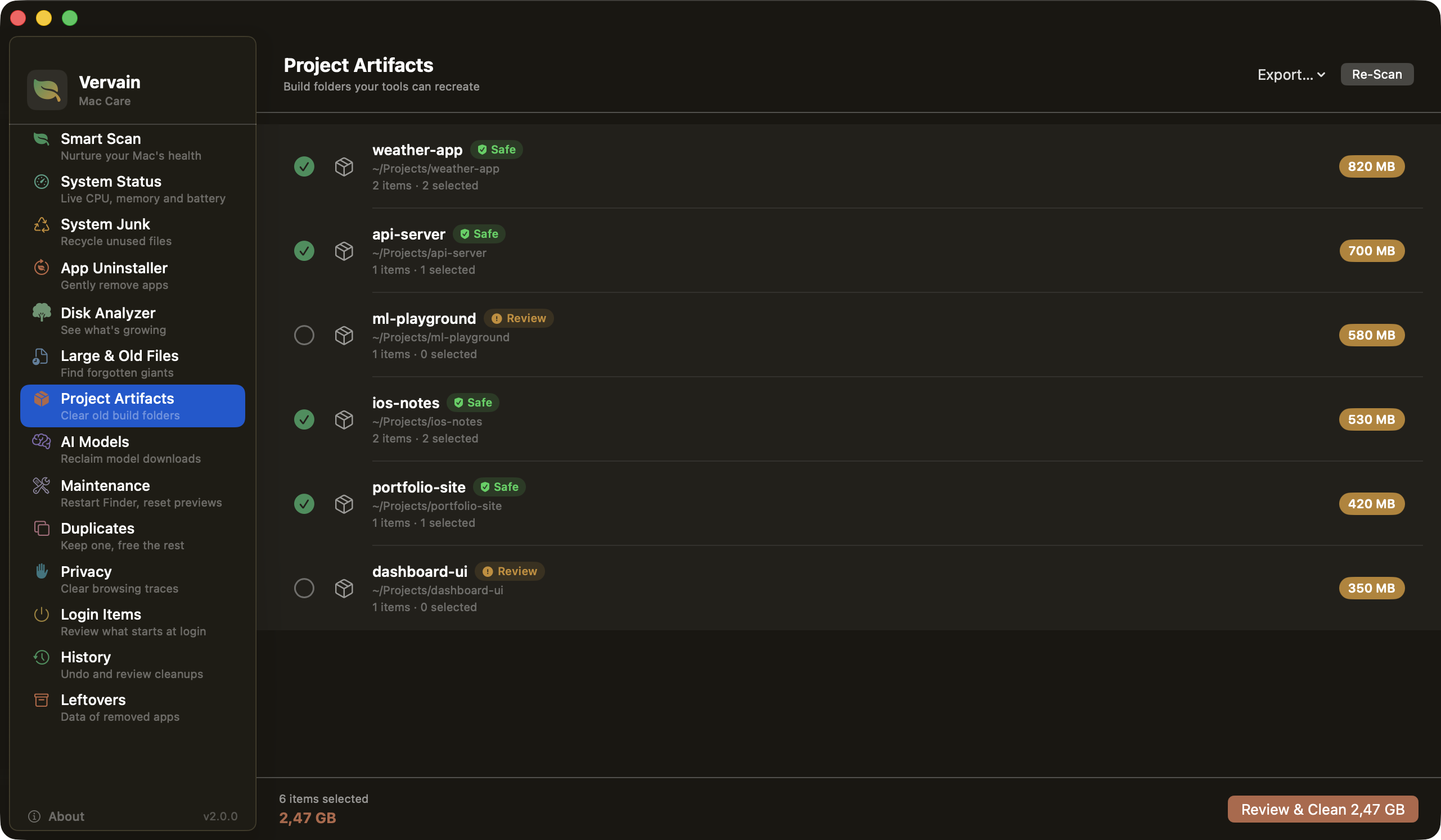
- Project Artifacts: old
node_modules,target,Podsand other build folders, grouped by project. - AI Models: model downloads from Hugging Face, Ollama, LM Studio and similar tools. Nothing here is ever pre-selected.
- System Status and Maintenance: live CPU, memory, network and battery, plus a few quick fixes. Anything that needs administrator rights is shown as a command you copy yourself.
- Also: large and old files, duplicates, browser traces, login items, leftovers from apps you already removed, and a menu bar monitor.
Safe items start ticked. Anything riskier waits for you, and the History screen can put cleaned items back.
 |
 |
 |
 |
Version 2.0 added Project Artifacts, AI Models, System Status, Maintenance and undo through History. The changelog has the full list.
Mole is the other free, open-source Mac cleaner worth knowing. It is a terminal tool (mo), much bigger than Vervain, and a good fit if you like working from the command line. Vervain is a regular Mac app for people who would rather look at a list, tick what should go, and know it ends up in the Trash.
| Vervain | Mole | |
|---|---|---|
| How you use it | Mac app | Terminal command (mo), plus a separate Mac app |
| License | MIT | GPL-3.0 |
| Deleting | Always to the Trash, with History to put things back | Uninstalls and the disk analyzer use the Trash, but clean, purge and installer delete permanently |
| Reviewing | A review screen before anything is cleaned | --dry-run previews, then a confirmation |
| Administrator tasks | Shows the command and never runs it | Asks for administrator access when it needs it |
| Needs | macOS 15 or later | macOS 12 or later |
Both can clear project build folders and show live system stats. Mole is also easier to script and runs on older Macs.
CleanMyMac is the polished all-in-one option, and it is paid. OnyX is a long-standing free utility that leans toward maintenance and system settings more than cleaning. AppCleaner does one job, removing an app with its leftovers, and does it well.
| Price | Source | Mostly about | |
|---|---|---|---|
| Vervain | Free | Open (MIT) | Cleaning, uninstalling, disk analysis, review before anything is removed |
| CleanMyMac | Subscription or one-time purchase | Closed | Cleaning, uninstalling and maintenance in one polished app |
| OnyX | Free (donations welcome) | Closed | Maintenance and system settings, with some cleaning |
| AppCleaner | Free | Closed | Uninstalling apps |
Vervain is the one that is free, open source and built around reviewing everything first. If you only need an uninstaller, or you want a full maintenance toolbox, one of the others may suit you better.
- Nothing is permanently deleted. Every cleanup moves items to the Trash, so you can restore them.
- Nothing is cleaned without your say-so. Every module goes through review and confirmation, and risky items are never pre-selected.
- Nothing leaves your Mac. No analytics, no accounts, no background network calls unless you turn on the automatic update check.
Vervain follows your Mac's language, or you can pick one in Settings (⌘,): English, Français, Deutsch, Türkçe, Español, 中文(简体), 日本語 and 한국어.
You need macOS 15+, Xcode 16+ and Swift 6.
git clone https://github.com/yakupbulbul/Vervain.git
cd Vervain
open Vervain.xcodeproj
# ⌘R to run
Vervain works without Full Disk Access. It skips protected folders and tells you what it couldn't reach. For a complete scan, add Vervain under System Settings → Privacy & Security → Full Disk Access. The app notices the change by itself.
Swift 6 with strict concurrency: SwiftUI for the UI, actor-isolated services for file system work, and @Observable view models on the main actor. The only deletion calls in the codebase are FileManager.trashItem and NSWorkspace.recycle, both of which move items to the Trash, and they live in a single CleanupService that every module goes through. There is no AppleScript and no shell. The few system tools Vervain starts (qlmanage, killall, ps, tmutil and git) come from a fixed list with fixed arguments, and nothing you type or read from disk becomes part of a command.
Toggling launch agents on and off is next. Login Items can only view and remove them today. Ideas and bug reports are welcome in the issues.
Pull requests are welcome. A new cleanup module has to send every deletion through CleanupService, because that is how the safety model works. Items also need a risk level and a confidence level so the review screen can choose sensible defaults. CleanupSelectionPolicy shows which items get pre-selected and which don't.
MIT. See LICENSE.
Website · Releases · Buy Me a Coffee
Made by Yakup Bulbul