
Beautiful, ready-to-use dashboards for your Obsidian vault
English · Español · Português · 简体中文 · Website


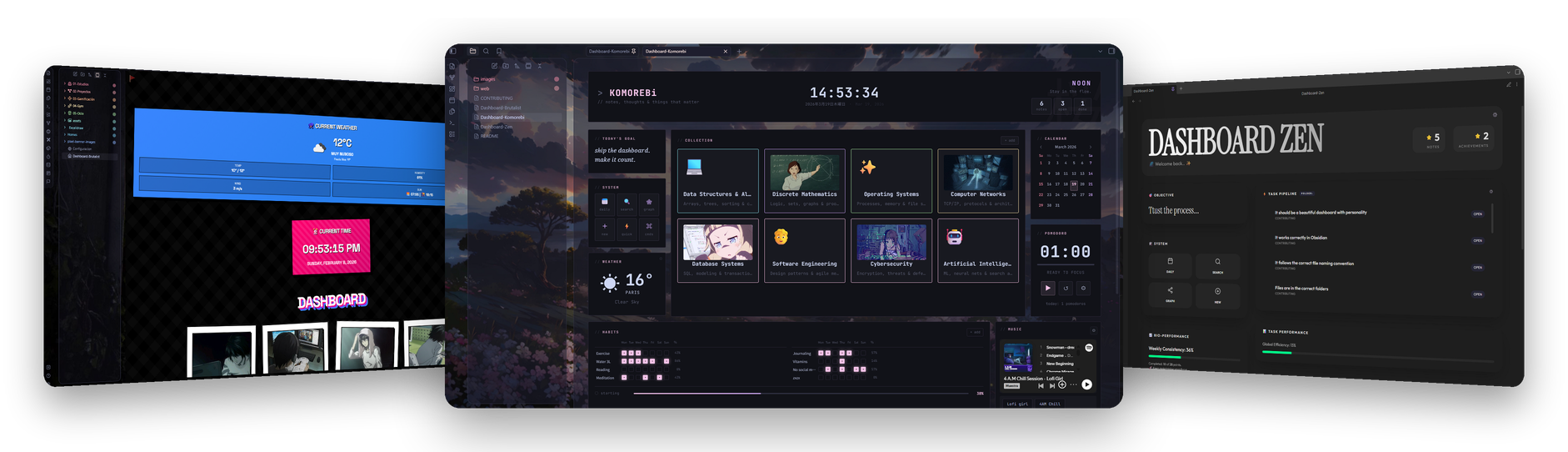
Six home dashboards for Obsidian. Copy two files into your vault — a note and a CSS snippet — and your home note looks like the shots above. No build step, no theme lock-in.
Screenshots, video previews and the full breakdown of every dashboard live on obsidian.inlitx.xyz.
 Calm and theme-aware. Greeting, quick capture, tag filtering, activity heatmap, calendar and focus timer. 
|
 Loud blocks of colour, live weather, a big clock and photo cards for every area of your vault. 
|
 A cosy Notion-style home. Cover and page icon, callouts, a task database with Board, Table and Calendar views, a gallery of your notes, navigation, a clock and a daily check-in. |
 Terminal ricing with a soft edge. Collections, habit grid, weather, pomodoro and music. 
|
 Material 3 Expressive agenda with dynamic colour, shape morphing and spring motion. Tasks that write back to your notes, quick capture, a wavy progress meter and a picture from your vault — in light and dark. |
 Minimal glass surfaces, habit tracking and a scrolling task pipeline. |
Click any preview for the full-size shot. Dataview needs Enable JavaScript queries; OpenWeatherMap needs a free API key, entered from inside the dashboard.
- Install Dataview from Community plugins and turn on Enable JavaScript queries in its settings.
- Copy
dashboards/Dashboard-<Name>.mdanywhere in your vault. - Copy
.obsidian/snippets/Dashboard-<Name>.cssinto<your vault>/.obsidian/snippets/. - Enable the snippet in Settings → Appearance → CSS snippets, then open the note in Reading view.
Both files share the same name — pick one dashboard, take its pair, done.
Ideas, fixes and new dashboards are welcome. Read CONTRIBUTING.md before opening a pull request, and keep in mind the Code of Conduct.
MIT — use them, change them, ship them.

Made for the Obsidian community